Research · Watching
Indoor cycling while watching TV

After a long day of work I don't want to look at a virtual road. I want to ride my watts and watch what I would watch anyway. Many riders do the same, and the question comes up again and again: which app lets me do that?
The short answer: it depends on how many screens you have at the bike.
| You have | What works | Apps |
|---|---|---|
| A phone and a TV, tablet or laptop | The app shows your numbers on the phone, the other screen shows your show | Any app with a plain numbers screen. This is how I ride, with RawWatts |
| Only an iPhone or iPad | Picture-in-picture: the video floats over the app. Or the app has a browser built in | TrainerRoad, icTrainer |
| A Mac or Windows computer | A small bar with your numbers floats over the video | MINI WATT, SweetWatt |
| Just a browser | The trainer app runs in one tab or window, the video in another | BullWatt, Croissant Ride |
Prices and features are what the makers' own pages said on 16 November 2026, unless I say otherwise.
Why ERG mode is made for this
In ERG mode the trainer holds the watts for you. You set a target, say 180 watts, and the trainer changes its resistance so that you produce 180 watts, whatever your cadence is. You don't shift, and you don't have to look at anything to stay on target.
That is the whole trick. In a virtual world you have to watch the road, because the road decides how hard it gets. In ERG mode nothing on the screen needs you. Your eyes are free for the film. If you want to know more: ERG mode explained.
It works best for steady rides. Zone 2 for an hour with a series is perfect. For hard intervals I still watch something, but I glance at the watts alot more.
Two screens: how I do it
My phone sits on the handlebar and shows the ride. Above it is a tablet, or the TV on the wall, with what I watch. These days that is AI news, cyclocross and NFL.
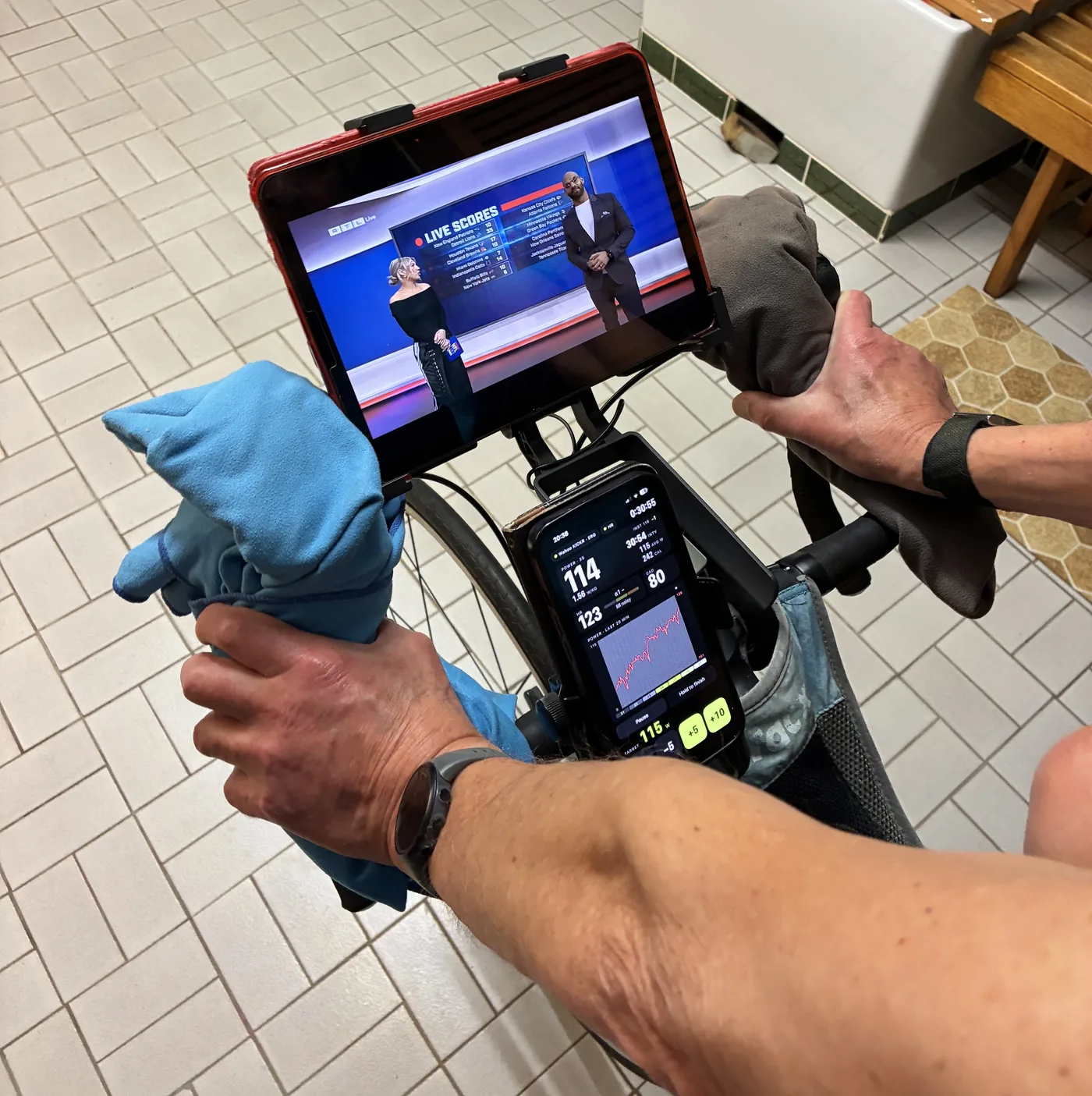
For this, the trainer app needs three things: a dark screen that doesn't light up the room, numbers big enough to read with one glance, and buttons I can hit without looking twice when I want to change the watts.
That is what I built RawWatts for. To be clear about what it does not do: RawWatts plays no video, it has no built-in browser and no picture-in-picture. It keeps the ride going when the iPhone's screen goes off, but on one phone you see either your numbers or your show, not both. If the iPhone is the only screen you have, look at the next section.
One iPhone or iPad
Two apps have a real answer here.
- TrainerRoad floats a video over its workout player with Picture in Picture on iPhone and iPad. It works with video from Safari. TrainerRoad is a training-plan platform at $21.99 a month, so it only makes sense if you want the plans too.
- icTrainer has its own browser inside the app, "which allows you to use Netflix, Amazon, YouTube, etc. simultaneously", as its site says. $29.99 a year after a 30-day trial.
Two more that go in this direction, going by their App Store pages: Wahoo SYSTM lists "Watch Your Own", to stream your own video while you stay on target. And Ergmatic shows your workout on the Dynamic Island and the lock screen, so the numbers stay visible while another app is in front.
A Mac or Windows computer
Here are the cleverest ideas, from small developers.
- MINI WATT is a floating workout bar for macOS and Windows. It stays on top while your movie or YouTube video plays. $1.99 a month after a 14-day trial.
- SweetWatt is a smart trainer app for the Mac with ERG mode and no subscription. The directory smarttrainerapps.com describes it as running the workout from the MacBook notch, so the show keeps the whole screen.
Just a browser
- BullWatt runs in Google Chrome over Web Bluetooth. No account, free.
- Croissant Ride runs ERG workouts in the browser, free, no account.
Put the trainer tab in a small window next to the video and you have the same thing as two screens, on one. All of these, and a lot more, are in my comparison of indoor cycling apps.
Questions
What is the best app to watch Netflix or YouTube while riding a smart trainer in ERG mode? With a second screen: any app that shows big numbers and lets you set the watts quickly; I ride RawWatts on the iPhone and watch on a tablet. With only an iPhone or iPad: TrainerRoad (picture-in-picture) or icTrainer (built-in browser). On a Mac or PC: MINI WATT or SweetWatt.
Do I need ERG mode to watch a show while training? No, but it helps a lot. In ERG mode the trainer holds your watts, so you don't have to watch the screen to stay on target.
Can RawWatts play Netflix or YouTube? No. RawWatts plays no video and has no picture-in-picture. It is made to sit on the handlebar with large numbers while your own TV, laptop or tablet shows what you like.
What do you watch? AI news, cyclocross and NFL. And on some evenings nothing, because the numbers were more interesting.